













Feature Wiki
Information about planned and released features
Tabs
Filemanager
1 Requirements
As alternative to WebDAV a filemanager should allow to handle multiple files at once and support easy upload to and download from ILIAS. Unlike WebDAV this filemanager should not have problems with special characters in filenames.
2 Status
3 Additional Information
- If you want to know more about this feature, its implementation or funding, please contact: Stefan Meyer / meyer [at] leifos.de
4 Discussion
JF 2 Apr 2012: Stefan will make a presentation of this feature in the next Jour Fixe. We will also give feedback and decide on this feature then. Nevertheless we schedule it for 4.3.
JF 30 May 2012: Today we had a detailed look at the feature. We still appreciate its functionality and hope that Mac/Linux support will arrive with ILIAS 4.3. The following issues should be tackled:
- Since the GUI is not integrated into the ILIAS template engine, the GUI should be as neutral as possible.
- The language texts should be retrieved via SOAP to support multilinguality.
- The correct icon paths should also be retrieved via SOAP, so that customized icons can be displayed.
- We need a technical documentation that explains the basics (own chapter in the development guide).
5 Implementation
The filemanager is a java applet based on JavaFX 2 technology. JavaFX is currently supported only for windows (IE and Firefox). Developer versions for MacOS and Linux are available. Stable FX versions are planned to be available at the end of 2012.
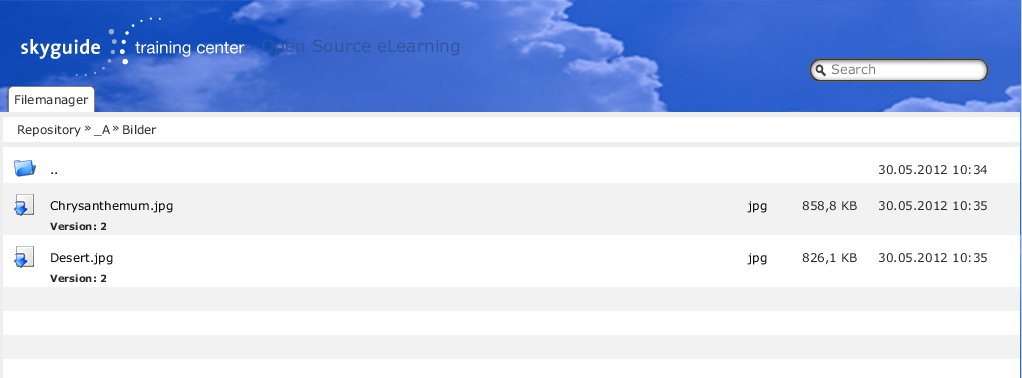
The filemanager is started from the action menu of all container objects (categories, courses, groups, folders) and opens one-frame view (ILIAS repository) or two-frame view (local filesystem and ILIAS repository). Using the applet it is possible to perform the following action:
The filemanager is started from the action menu of all container objects (categories, courses, groups, folders) and opens one-frame view (ILIAS repository) or two-frame view (local filesystem and ILIAS repository). Using the applet it is possible to perform the following action:
- Open files by double click (or context menu) with default application
- Rename files and folders
- Delete files and folder
- Copy files and folder from the local file system view or external applications to the ILIAS repository using drag and drop.
- Copy files and folder from the ILIAS repository to the local filesystem view or external applications
Last edited: 17. Apr 2025, 15:08, Kunkel, Matthias [mkunkel]